
AI-Optimized Means AI-Ready: How We Ship Claude Code Context in This Starter
You clone a starter template. You open your AI coding assistant. You spend the first hour explaining your project’s conventions — the component patterns, the performance budgets, which directories are off-limits, why client:load is banned without an ADR. Then you do it again tomorrow. And the day after that.
This is the status quo, and it’s backwards.
Starter templates ship linting configs, TypeScript settings, CI pipelines, PR templates, and git hooks — all of which encode project conventions for human developers and automated tooling. But the tool most developers now spend the most time interacting with — their AI coding assistant — gets nothing. It starts every session blank.
The partial solution most starters have landed on is a rules file. .cursorrules, .windsurfrules, an airules.example you copy into place. This starter already had those. They tell the AI about the tech stack, the directory structure, some conventions. They’re useful. But they’re passive context — they tell the AI what to know, not what to do. They’re the equivalent of handing a new hire a wiki page instead of pair programming with them.
What’s missing is the active layer: task-specific workflows the AI executes autonomously. Code reviews that check your ADRs, not generic best practices. Component scaffolding that follows your patterns, not framework defaults. PR descriptions that match your template. Not generic behavior — project-encoded behavior.
That’s what we shipped.
What We Ship
Here’s the full Claude Code configuration in this repo:
astro-performance-starter/├── CLAUDE.md # Project brain — always-on context├── .claude/│ ├── settings.json # Tool permissions (safe defaults)│ ├── agents/│ │ └── code-reviewer.md # Knows your ADRs and perf budgets│ └── skills/│ ├── pr-description/│ │ └── SKILL.md # Reads your PR template, fills it out│ └── component-scaffold/│ └── SKILL.md # Follows your component patterns docFive files. Zero configuration required after cloning. Every file references this project’s actual conventions — the component patterns doc, the ADRs, the performance budgets, the PR template. If the conventions change, the AI workflow updates automatically because it reads the source docs at runtime, not hardcoded copies.
Let’s walk through each one.
CLAUDE.md — The Project Brain
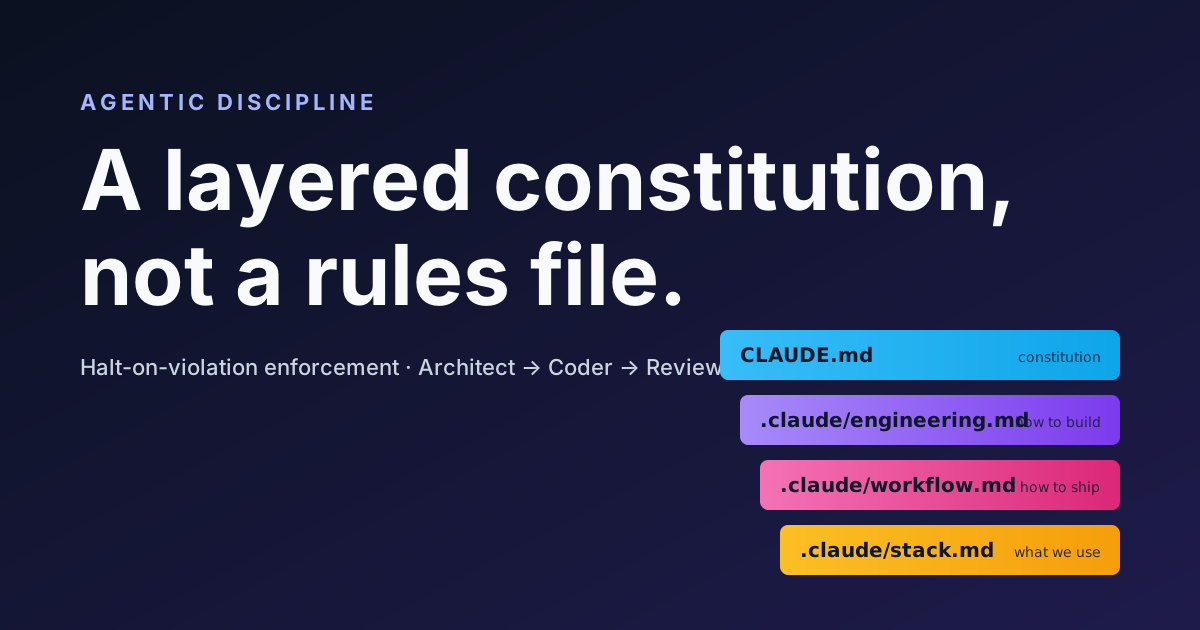
CLAUDE.md is the always-on context file Claude Code reads at the start of every session. It’s the Claude Code counterpart of the cross-tool AGENTS.md — and both encode the same source of truth, the AI Assistant Contract in docs/ai-context/INDEX.md.
Here’s the top of the actual file:
## Rules of Engagement
1. Check docs/adr/ before suggesting architectural changes.   Every **Accepted** ADR is a constraint.2. No client:load without ADR justification (ADR-001).   Prefer client:idle or client:visible.3. Use design tokens from tokens/ — never hardcode colors   or spacing values.4. TypeScript strict mode is non-negotiable.5. Use Biome for linting/formatting, not ESLint/Prettier.6. Use pnpm, not npm or yarn.7. Prefer CSS solutions over JavaScript.8. Use Astro Image component for all images — no raw <img>.9. Before suggesting changes are complete, verify with   pnpm run quality.
## Scope Boundaries (ADR-035)
| Category         | Paths      | Rule             ||-----------------|------------|------------------|| Modify freely   | src/, ...  | Full read/write  || Read-only       | docs/      | Don't modify     || Don't create    | ...        | Suggest docs add |
## Performance Budgets
- JavaScript: < 160KB total gzipped (enforced in CI)- CSS: < 50KB total- Images: < 200KB each after optimization- Lighthouse: Performance 95+, Accessibility 98+- Core Web Vitals: LCP < 2.5s, FID < 100ms, CLS < 0.1
A few design decisions worth noting:
Priority-ordered. Claude Code reads top-down. The most critical rules come first — scope boundaries and “don’t break these things.” Conventions and nice-to-haves follow. If context gets truncated, the most important rules survive.
Progressive disclosure. The full file is under 130 lines. For detailed conventions — the full component pattern spec, the full ADR set — it references deeper docs by file path. Claude Code loads those on demand, keeping session context lean.
Neutral tone. This ships to every developer who forks the template. No personal interaction preferences, no “treat me as a senior engineer.” Project conventions only.
The same client:load rule that appears in CLAUDE.md as rule #2 shows up in AGENTS.md (the file Cursor, Copilot, Codex CLI and friends read natively) like this:
- **Never**: `client:load` unless justified in ADROne Source of Truth, Multiple Formats
Both CLAUDE.md and AGENTS.md are derived from the AI Assistant Contract in docs/ai-context/INDEX.md. Update your conventions there, and every AI tool picks them up. See docs/ai-context/ai-rules-setup.md for the full multi-tool setup.
The Code Reviewer Subagent
The code reviewer lives at .claude/agents/code-reviewer.md. It’s a subagent — it gets its own context window, separate from your main conversation.
Why a subagent instead of a skill? A code review needs to read potentially large diffs, load multiple source files, and cross-reference project docs. Doing all of that in your main conversation would bloat context and degrade session quality. The subagent does the heavy lifting in isolation and returns a structured review.
Here’s what it checks — the real list from the agent file:
- ADR compliance — flags any
client:loadwithout justification (ADR-001), untested new functionality (ADR-023), files created in wrong scope categories (ADR-035) - Performance budgets — JS bundle under 160KB gzipped, CSS under 50KB, images under 200KB each, Lighthouse targets 95+/98+
- Component patterns — TypeScript Props interface required, slots over props, correct atomic design directory
- Design tokens — no hardcoded colors (
bg-white,#hex,rgb()), must use semantic tokens (text-foreground) - Image handling — Astro Image component required,
alttext mandatory - What CI doesn’t catch — architectural patterns, convention compliance, design decisions, missing test coverage
An example interaction looks like this:
> Review my staged changes
## Review Summary
**Scope:** src/components/molecules/SearchBar.astro (+84 lines)**Overall:** Requires changes
### Blocking- SearchBar.astro line 23 uses inline `color: #3b82f6`.  Use design token `--color-primary` instead.  → ADR-004 (Design Token Policy)
### Suggestions- Consider using <slot> for the search icon instead of  an `icon` prop. See: docs/patterns/component-patterns.md  (Slots Over Props section)
### Approved- TypeScript Props interface is correct and strict-compliant- Accessibility: aria-label present, keyboard nav works- No client:load directive — component is correctly static- File placed in molecules/ (correct atomic level)The Reviewer Gets Smarter Automatically
The reviewer reads your project docs at runtime. Add a new ADR? It starts checking it. Tighten a performance budget? It enforces the new number. No skill editing required — the instructions say “read docs/adr/”, and whatever’s there gets reviewed.
The Component Scaffolder Skill
The component scaffolder at .claude/skills/component-scaffold/SKILL.md auto-triggers when you say “create a component” or “scaffold a component.” It’s a skill, not a subagent — component scaffolding is a quick, focused task that doesn’t need a separate context window.
The skill reads docs/patterns/component-patterns.md at runtime, then generates files that follow this project’s documented patterns. Not generic Astro conventions — this project’s conventions.
Skills vs. Subagents
Skills run in your main conversation — fast and lightweight, good for focused tasks. Subagents get their own context window — better for tasks that need to load lots of reference material without bloating your session.
Here’s what happens when you ask it to create a component:
> Create a card component for displaying blog post previews
Generated: src/components/molecules/BlogPostCard.astro
- TypeScript Props interface with required alt text- Uses <slot> for actions area (composition over configuration)- Design tokens only — no hardcoded colors- Accessibility: semantic HTML, aria attributes- Static by default — no client: directive needed- Test needed: src/components/molecules/__tests__/BlogPostCard.test.ts
Notice the atomic design classification — it placed the component in molecules/ because a card that combines multiple elements (image, title, excerpt, tags) is a molecule, not an atom. That classification came from the component patterns doc, not a hardcoded rule in the skill.
The generated component follows every convention the project enforces:
---interface Props {  title: string;  description: string;  href: string;  date: Date;  imageSrc?: ImageMetadata;  imageAlt: string;  tags?: string[];  class?: string;}
const {  title,  description,  href,  date,  imageSrc,  imageAlt,  tags = [],  class: className,  ...rest} = Astro.props;---
<article  class:list={["rounded-lg border border-border", className]}  {...rest}>  <!-- Image, content, and slot-based actions area -->  <slot name="actions" /></article>
TypeScript-first. Slots for composition. Design tokens for styling. Accessibility attributes. Zero JavaScript. All enforced by reading the docs, not by hardcoding rules in the skill itself.
The PR Description Skill
The PR description skill at .claude/skills/pr-description/SKILL.md is the most straightforward of the three — and a good example of automating something you already ship.
This starter includes a PR template at .github/PULL_REQUEST_TEMPLATE.md with sections for What, Why, How, Testing, and a Checklist that enforces ADR-035 scope, performance budgets, client:load policy, design tokens, TypeScript strict mode, and accessibility. The skill reads that template at runtime and fills it out by analyzing every commit on the branch.
Before the skill:
## What<!-- Brief description of the change. -->
## Why<!-- Motivation: what problem does this solve? -->
## Checklist- [ ] Files in correct category per ADR-035- [ ] Changes stay within performance budgets- [ ] No client:load added without ADR justification
After the skill:
## WhatAdd SearchBar molecule with keyboard navigationand ARIA live region for search results.
## WhyUsers need to search blog posts without full pagereloads. Closes #42.
## Checklist- [x] Files in correct category per ADR-035- [x] Changes stay within performance budgets- [x] No client:load added without ADR justification
The value is consistency. Every PR matches the template format. New contributors don’t have to learn what goes where — the skill handles it.
How This Actually Works Under the Hood
The three-level architecture is what makes this work without blowing up context:
- CLAUDE.md = always-on context. Loaded every session, ~130 lines, cheap. Sets the ground rules.
- Skills = on-demand workflows. Metadata is always loaded (name, description, trigger phrases). The full skill body loads only when triggered. Auto-invoked by description matching — say “create a component” and the scaffolder activates.
- Subagents = isolated workers. Get their own context window. Invoked explicitly. Do heavy work (reading diffs, loading multiple docs) without polluting your main session. Return structured results.
Progressive disclosure in practice: CLAUDE.md says “follow component patterns” and cites the file path. The component-scaffold skill, when triggered, reads the full docs/patterns/component-patterns.md. The code-reviewer subagent, when invoked, reads the ADRs, the performance budgets, and the component patterns. Each layer loads only what it needs.
This project already had docs/ai-context/INDEX.md as the canonical AI contract. The Claude Code configuration extends that architecture to a new tool without replacing anything:
AI Context Architecture├── docs/ai-context/INDEX.md # Canonical AI contract├── docs/ai-context/ai-rules-setup.md # Setup guide (all tools)├── CLAUDE.md # Claude Code entry point├── AGENTS.md # Cross-tool entry point (Cursor, Copilot, Codex CLI, …)└── .claude/ ├── settings.json # Tool permissions ├── agents/code-reviewer.md # Subagent └── skills/ # Skills ├── component-scaffold/ └── pr-description/Multi-Tool Setup
Every AI tool points to the same project conventions through its own entry point. For the full setup guide covering Claude Code, Cursor, Copilot, and the other AGENTS.md-native tools, see docs/ai-context/ai-rules-setup.md.
Building Your Own
The shipped skills are starting points. Here’s how to extend them:
Fork the repo. Your skills live in .claude/skills/ and your subagents in .claude/agents/. Both are markdown files — skills have YAML frontmatter with a name, description (used for auto-triggering), and allowed-tools, followed by step-by-step instructions. Subagents have the same frontmatter plus a model field and use tools instead.
The single most important principle: reference your actual project docs by file path. Don’t hardcode conventions into skills. The component scaffolder doesn’t contain a list of atomic design levels — it says “read docs/patterns/component-patterns.md.” The code reviewer doesn’t hardcode performance numbers — it says “check the budgets in CLAUDE.md.” When your conventions evolve, the skills evolve with them.
Want to add a skill that generates E2E test scaffolds following your Playwright patterns? Create .claude/skills/test-scaffold/SKILL.md, point it at your testing docs and existing test files, describe when it should trigger. That’s it.
AI tools should be first-class citizens in your project toolchain, configured with the same care as your linter, your CI pipeline, and your TypeScript config. If you wouldn’t ship a project without a biome.json, why ship one without a CLAUDE.md?
Fork the repo, try the workflow, and let us know what skills you build.